
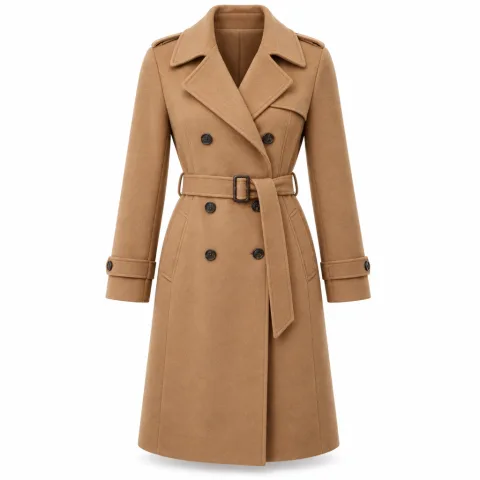
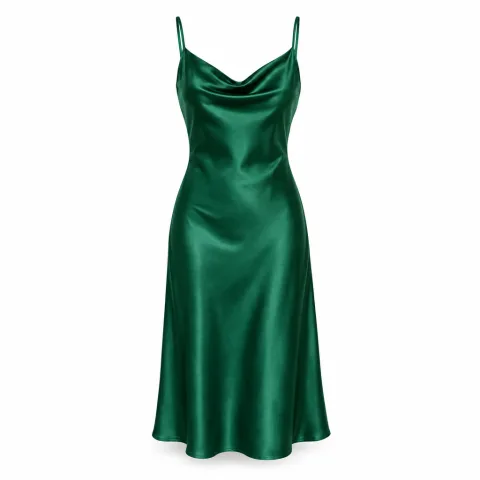
“Try it on” on your online store
One button on the product page. One click on Shopify; a single line of code on WooCommerce, other platforms and custom sites.
- Shopify · WooCommerce · custom
A phone camera, AI and your existing product photo are all it takes. Shoppers tap “Try it on” and in about 1.5 seconds the item appears on them in their live video, moving as they move. We set it up on your online store, your mobile app and a smart mirror in your shop.
The model and products shown are AI-generated samples created to demonstrate the method.
All your shopper does is open the camera and tap a product. The rest is done by AI that regenerates the camera feed frame by frame.
The shopper taps “Try it on” on the product page and their phone or laptop camera opens. Nothing to download.
They choose an item from the catalogue. The system uses the product photo already on your site.
A real-time video model regenerates every camera frame with the garment on, matching the light, pose and body.
In about 1.5 seconds the item is on. They turn and raise an arm, and the fabric moves with them.
The phone screen is a simple example of the try-on screen your shoppers will see. Tap a product.




 Live try-on
This demo uses prepared images. In a real setup the same change happens on the shopper’s live camera feed, while they move.
Turn the sound on: a short film walks through the method, from opening the camera to the item moving on the body.
The same try-on technology runs across channels. Most brands start with their website and then add a smart mirror in store.
One button on the product page. One click on Shopify; a single line of code on WooCommerce, other platforms and custom sites.
One model video plus product photos becomes a dressed video for every item. The new season doesn’t wait for a shoot day.
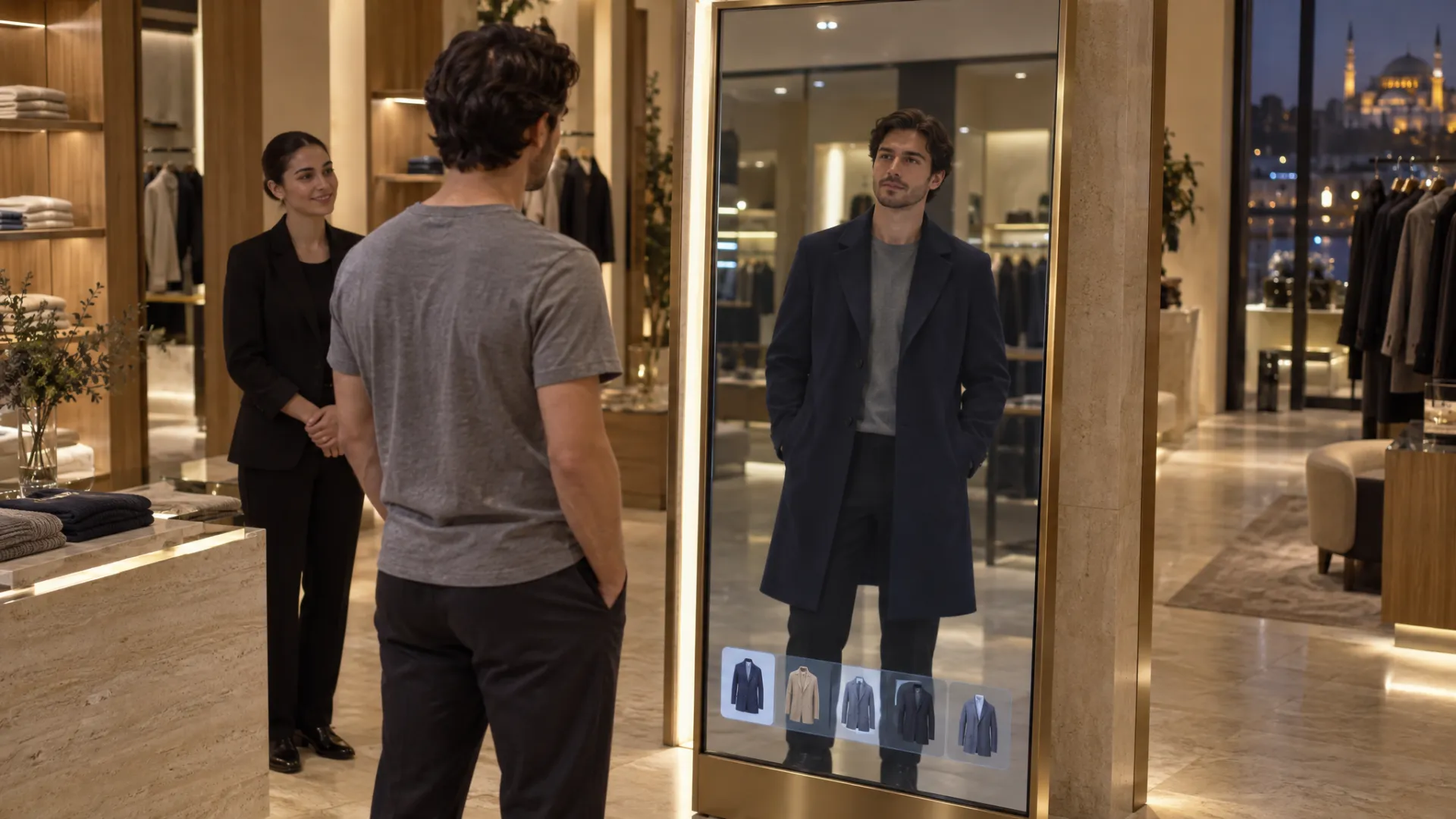
A vertical screen with a camera. Shoppers see items from the rail on themselves in seconds, without the fitting room.
Added natively to iOS and Android apps, connected to favourites and the basket.
Visitors from ads or Instagram land straight on the try-on screen and can save and share the look.
A big-screen live try-on stand. Visitors see the collection on themselves and take the look home via QR code.
The biggest gap in online fashion is not being able to see an item on yourself. Virtual try-on closes that gap and turns shopping into an experience.
The answer to “will it suit me?” is on screen before the basket.
Trying on feels like play: shoppers don’t stop at one item, they try more.
Seeing how an item looks on beforehand aims to cut “not what I expected” returns.
Your existing product photo is enough, instead of a new model shoot for every item.
Try-ons without the fitting-room queue, and a mirror that draws people in.
Which items get tried on and which get added to the basket: new data for collection and stock decisions.
The first three figures are the technology provider’s own measurements across real storefronts and are not independently verified; the fourth is Shopify’s data on 3D content. Results vary by product, category and traffic.
We work in five steps. Website setups usually go live in 1–2 weeks.
We build on video AI models that regenerate the camera feed in real time, and connect them to your site and app.
Not an overlay filter: a video AI model that regenerates each camera frame with the garment on.
The first frame arrives about 1.5 seconds after choosing an item and the stream carries on. Batch mode outputs 720p video.
Video streams over WebRTC, with no plug-ins in the browser, on iOS or on Android.
The main API key stays on the server; the browser only gets a short-lived, single-session token.
One product photo of at least 512×512 pixels on a plain background. Accessories such as caps work too.
One click on Shopify, a single lightweight script elsewhere, and iOS and Android SDKs for apps.
As with any system that works with shoppers’ video, consent and transparency are the first step of the setup.
The camera opens only after the shopper reads the notice and agrees, and they can close it at any time.
Privacy notice, explicit consent and cross-border transfer texts are prepared with your legal adviser.
How video is processed and how long it is kept is agreed with you before launch.
Reports contain no personal footage, only aggregate data such as try-on and basket counts.
Brands that want shoppers to try the collection online and in store.
Boutiques with curated ranges that want to stand out through experience.
Stores that want higher conversion and bigger baskets in fashion.
Chains that want to pull visitors in with smart mirrors and window screens.
Showing the collection dressed on people at fairs and in online catalogues.
Live try-on stands at fairs, store openings and brand events.
A virtual fitting room lets shoppers see a clothing item on themselves before they buy. They tap “Try it on” on the product page, their phone or laptop camera opens, and the item they chose appears on them in their live video. When they turn, raise an arm or walk, the item moves with them.
The biggest gap in online fashion is not being able to see an item on yourself. Model photos show how it looks on someone else; the question in the shopper’s mind is “will it suit me?”. Virtual try-on answers that on screen, before the basket.
This isn’t a filter stuck on top of the image. A real-time video AI model regenerates every camera frame with the garment on. Because it takes light, pose and body shape into account, drape, creases and shadows look natural.
Classic augmented reality (AR) places a 3D model of the product over the camera feed. That works for rigid items like shoes and glasses, but in clothing it has two problems: every item needs its own 3D model, and the drape on the body often looks artificial. AI-based try-on works from an ordinary product photo and redraws every frame, so the result looks closer to a photo or video.
Virtual try-on aims to reduce hesitation and keep visitors browsing longer and further. According to the technology provider’s own measurements across real storefronts, 11.3% of shoppers who tried a garment on clicked add-to-cart or buy-now in the same window; 3 in 4 went past the first item they came for, viewing 8.7 items per visit on average. These figures are not independently verified, and results vary by product, category and traffic.
Seeing how an item looks on beforehand also aims to cut “not what I expected” returns. Virtual try-on doesn’t recommend sizes; if needed, it can be paired with a size chart or a separate size tool.
The camera opens only after the shopper reads the notice and agrees, and they can close it at any time. Privacy notices, consent and any cross-border transfer texts are prepared with the brand’s legal adviser, and how video is processed and retained is agreed before launch. Reports contain no personal footage, only aggregate data such as try-on and basket counts.
In a discovery call we try a few items from your catalogue live and choose the right channels together. We then prepare your product images, design the button and try-on screen for your brand and set it up on your site, your app or a mirror in your store. After launch we report try-ons, add-to-baskets and the most-tried items, and use that data in your ads and social campaigns.
It lets shoppers see an item on themselves live, through their phone or laptop camera, before they buy. AI regenerates the camera feed with the garment on, and the item moves as they move.
AR filters place a 3D model of the product over the image; every item needs its own 3D model and the drape often looks artificial. Here an ordinary product photo is enough, and because AI redraws every frame, fabric, light and shadow look natural.
Most clothing, especially tops, outerwear, dresses and bottoms; accessories such as caps work too. In the discovery call we test sample items from your catalogue so you can see the fit for yourself.
No. Virtual try-on shows how an item looks on; it doesn’t give measurement-based size advice. If needed, it can be paired with a size chart or a separate size tool.
One click on Shopify; a single line of code on WooCommerce, other platforms and custom-built sites. If you have a mobile app, it’s added natively on iOS and Android.
Usually not. Existing product photos of at least 512×512 pixels on a plain background are enough. We clean up images that don’t work with AI, or reshoot them for you.
The camera opens only after the shopper reads the notice and agrees. Privacy notices, consent and any cross-border transfer texts are prepared with your legal adviser, and how video is processed and retained is agreed before launch.
A website setup, with design and testing, usually takes 1–2 weeks; smart mirrors and app integrations are planned per project. Pricing depends on the number of channels, products and monthly try-on volume. We give a clear quote after the discovery call.
In a discovery call we try a few of your own products live in the virtual fitting room and plan how to set it up on your site and in your store.