

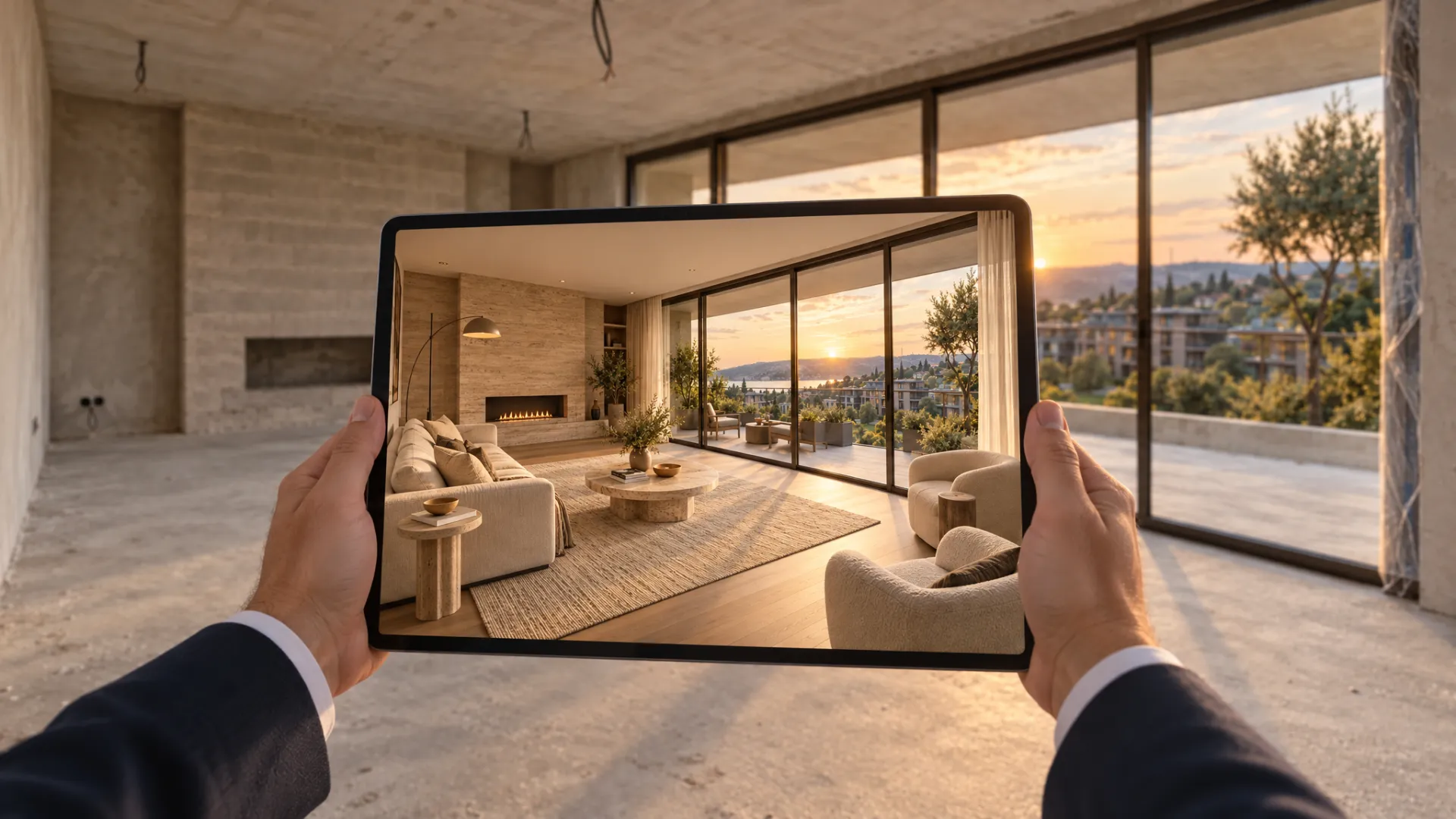
In the sales office and on site
Buyers walk the empty flat with a tablet and see it furnished. No need to furnish a show flat for every unit type.
- Sales office · show flat
As buyers walk an empty flat, office or shell with a tablet, the screen shows the space furnished and finished, live. Floors, walls, furniture and style change with one tap. Use it in the sales office, on site and in remote presentations.
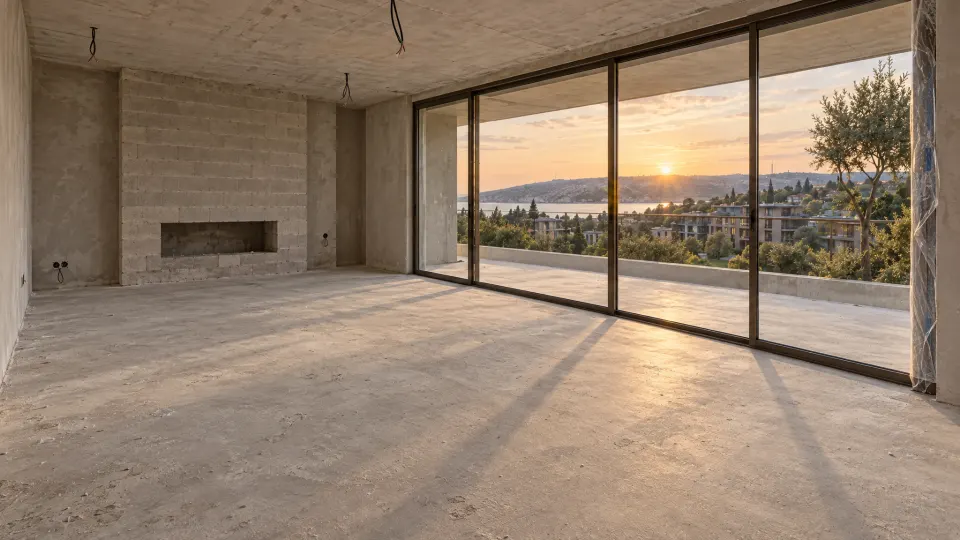
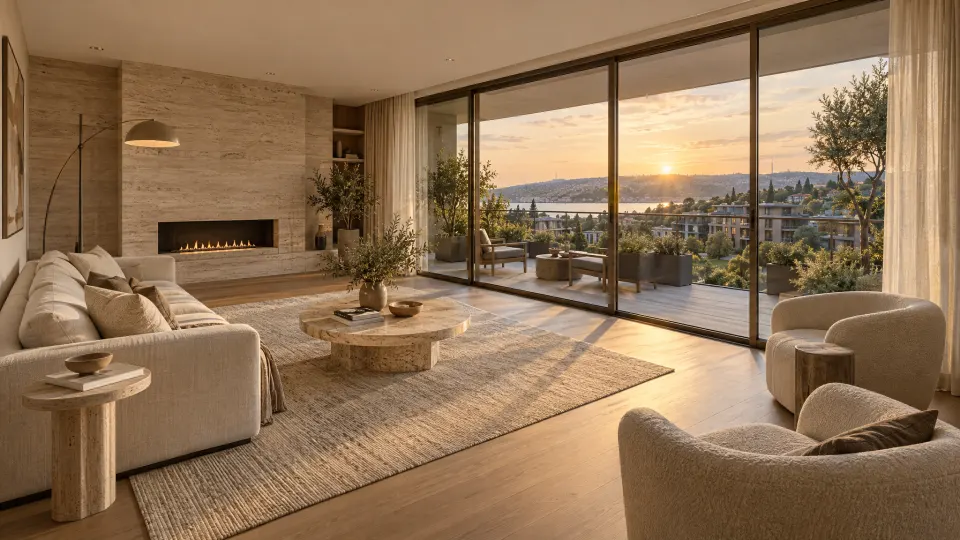
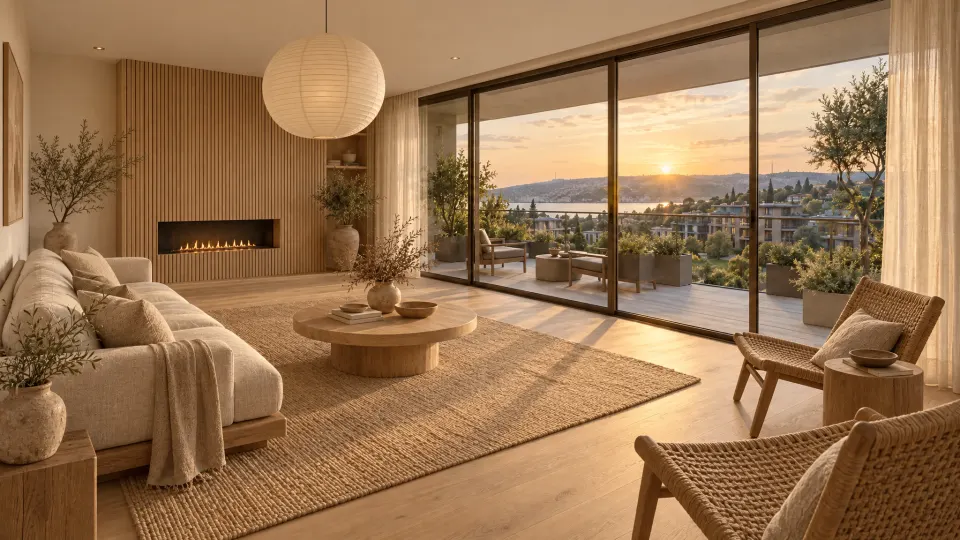
Images show the living room of our sample residential project; its empty and furnished versions were prepared with AI.
No show flat and no scale model. AI that redraws the camera feed frame by frame furnishes the empty space live in the chosen style.
The sales consultant or buyer points the tablet camera at the empty flat, office or shell as they walk through it.
Modern, warm, classic or a style prepared for the project.
Every camera frame is redrawn furnished and finished in the chosen style; walls, windows and the view stay in place.
Floors, walls and furniture change with one tap. Buyers decide inside the space, with their own eyes.
The tablet screen is a simple example of what your buyers will see. Tap a style.
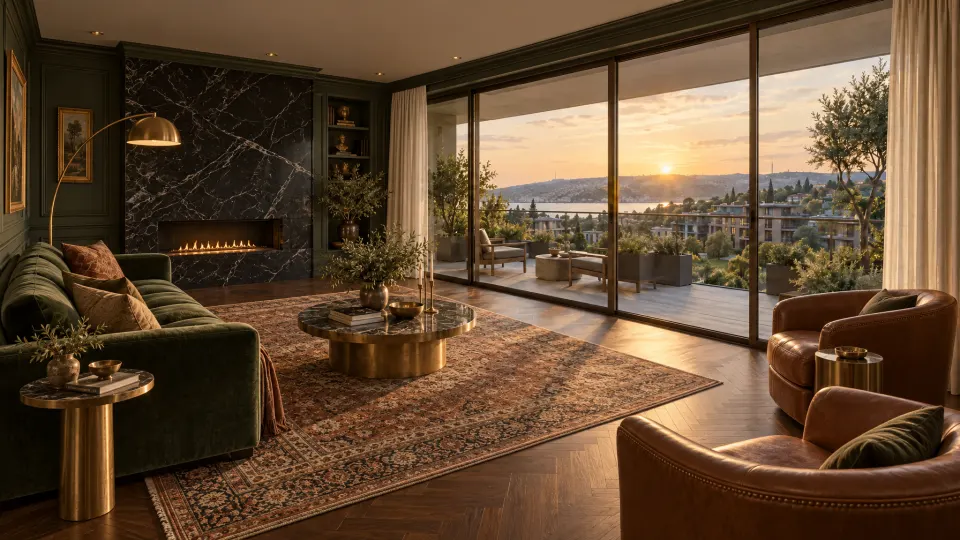 Live staging
This demo uses prepared images. In a real setup the same change happens on the tablet’s live camera feed as you walk through the space.
Drag the line: empty shell on the left, furnished on the right. The architecture stays; only finishes and furniture change.
BeforeAfterThe same style library works in different settings. The sales office and the construction site are the most common starting points.
Buyers walk the empty flat with a tablet and see it furnished. No need to furnish a show flat for every unit type.
Invite buyers to site while construction continues; the tablet shows the finished space live.
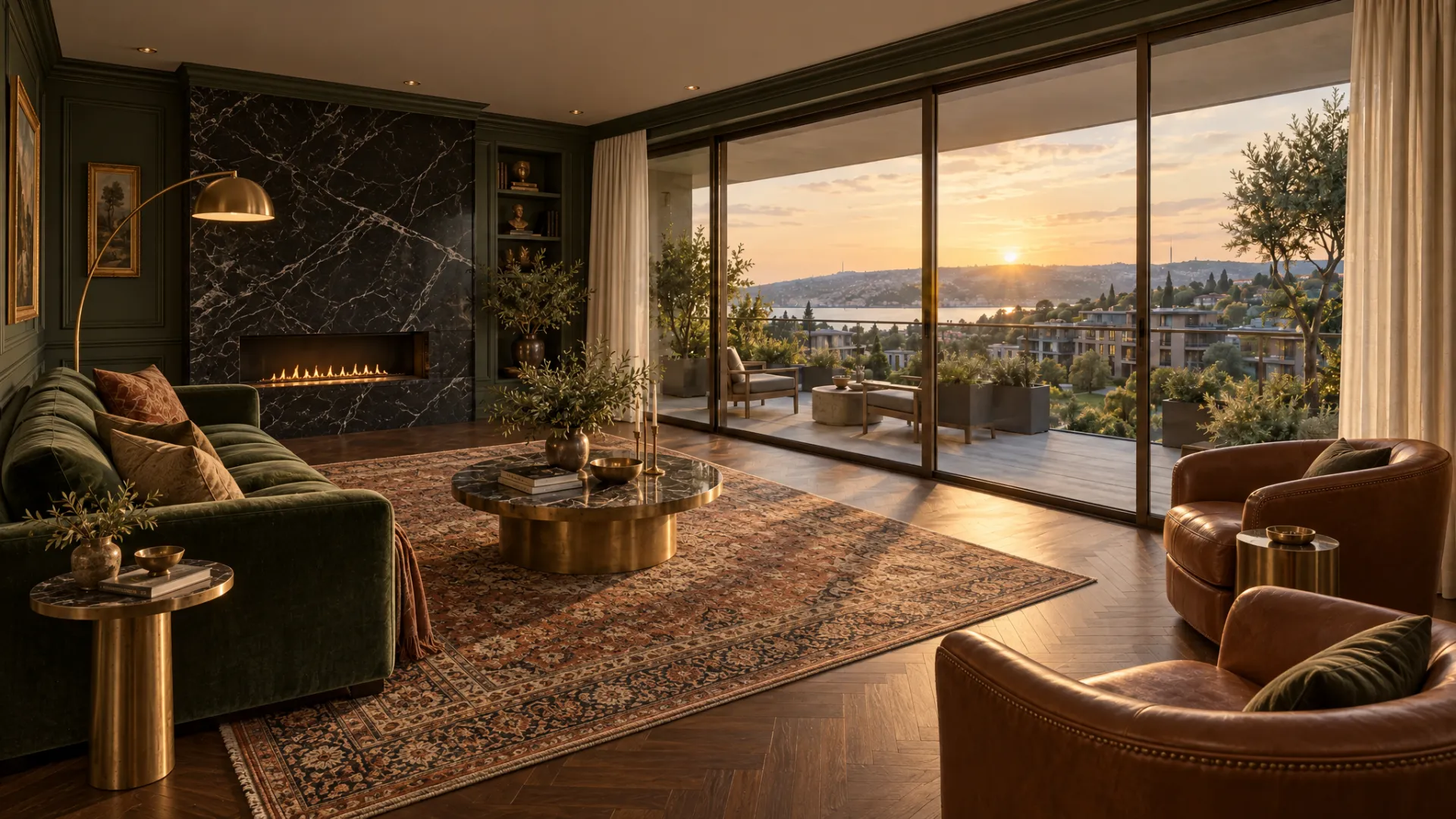
Designers walk the space with their client and compare styles and materials on the spot.
On a video call the consultant walks the space; buyers in other cities or abroad watch it furnished, live.
Show prospective tenants an empty office floor, shop or restaurant space fitted out.
Show an empty flat for sale or rent furnished live to the buyer’s taste.
In an empty or unfinished space, buyers struggle most to imagine living there. Live virtual staging takes that burden off them.
Buyers see how an empty or unfinished space will feel, on screen, while standing in it.
One tablet shows every style instead of a furnished show flat for each unit type.
Invite buyers to site before completion and show them the finished space.
Buyers choose their own style and materials, making it easier to connect with the home.
Every consultant presents with the same quality and the same correct information.
Which styles and materials are chosen most informs finishing and upgrade decisions.
Live virtual staging is a new service we offer. Every setup reports these metrics to you; results depend on the project, price and market.
We work in five steps. Each ends with a visible output.
We build on video AI models that regenerate the camera feed in real time, and adapt them to your project and sales process.
Not a 3D model placed over the image: a video AI model that regenerates every camera frame in the chosen style.
Walls, windows, doors and the view are kept; floors, wall finishes and furniture change.
Each style is defined with real material samples and reference images; project-specific styles are possible.
Runs in a tablet or phone browser, streaming over WebRTC. Good mobile data or Wi-Fi is needed on site.
The main key stays on the server; devices get short-lived, single-session access only.
The same style library can be used in the Unreal 3D project presentation and the sales CRM.
The furnished view is illustrative. The sales contract and technical drawings govern exact dimensions, materials and handover details.
Camera video is processed with explicit consent, and we set everything up in line with data protection law. Notice and consent are the first step of the setup.
If people appear on camera, video is processed only with explicit consent, with a notice before the presentation.
Privacy notice, explicit consent and cross-border transfer texts are prepared with your legal adviser.
How video is processed and how long it is kept is agreed with you before launch.
Reports contain no personal footage, only aggregate data such as presentation and choice counts.
Companies selling off-plan and during construction.
Agencies that want empty homes for sale or rent to show better.
Studios that want to decide styles and materials with clients on site.
Showing empty office floors and shop units fitted out to prospective tenants.
Brands that want to show their collection live in the customer’s own space.
Showing room and suite types finished to investors and buyers.
Live virtual staging is a way to present an empty flat, office or shell: as you walk through it with a tablet, the screen shows the space furnished and finished. The consultant or buyer points the tablet camera at the space, and AI redraws the camera feed frame by frame in the chosen style. As the buyer walks, turns and looks into different corners, the furnished space on screen moves with them.
In an empty or unfinished space, buyers struggle most to imagine living there. Between a bare screed floor and unplastered walls, it isn’t easy to picture the living room, where the furniture will fit or which materials will suit it. Live virtual staging answers those questions inside the space, through the buyer’s own eyes.
This isn’t a 3D model or an AR filter. The space doesn’t need to be modelled in advance; because AI regenerates the real camera feed, light, shadow and perspective match the actual room.
Classic virtual staging photographs an empty room and furnishes it afterwards on a computer, so buyers only see a few prepared images. Live virtual staging happens inside the space, in the moment: buyers look wherever they like and change the style and materials themselves.
If the building isn’t built yet, the project can be explored in the browser like a game with an interactive 3D presentation built in Unreal Engine: a floor and unit selector, day and night views and availability managed from a panel. Once construction starts and before handover, live virtual staging takes over. Both can share the same style and material library, so buyers see on site the options they saw at the off-plan stage.
The furnished view is illustrative and shows how the space could feel. The sales contract and technical drawings govern exact dimensions, materials and handover details, and this note also appears on the presentation screen.
Camera video is processed with explicit consent, and we set everything up in line with data protection law. If people appear on camera, they are informed before the presentation. Privacy notices, consent and any cross-border transfer texts are prepared with your legal adviser, and how video is processed and retained is agreed before launch.
In a discovery call we show the live demo and listen to your project and sales process. We take your plans and the real materials you will use, prepare a project style library, set up the tablets and test them on site in different light. We train your sales team on the presentation flow and, after launch, report presentations and the most-chosen styles and materials. We handle live virtual staging in the same team as real estate 3D visualization, the project website and the sales CRM.
A way to present an empty flat, office or shell: as you walk through with a tablet, the screen shows the space furnished and finished, live. AI redraws the camera feed frame by frame in the chosen style, and floors, walls and furniture change with one tap.
Classic virtual staging edits photos of an empty room afterwards, so buyers only see a few prepared images. With live virtual staging the camera view is furnished as the buyer walks through the space; they look wherever they like and change the style and materials on the spot.
The interactive 3D presentation is a digital model of a project that isn’t built yet, made in Unreal Engine and explored in the browser like a game. Live virtual staging works with a camera in an existing empty space. They work together: 3D at the off-plan stage, live staging during construction and before handover.
No. The furnished view is illustrative; it shows buyers how the space could feel. The sales contract and technical drawings govern exact dimensions, materials and handover details, and this note appears on the page and the presentation screen.
Interiors such as empty flats, shells, office floors, shops and restaurant spaces. Results can suffer on a very dark or very cluttered site, so we test on site before setup.
Yes. We build a style library from the floors, walls and furniture options you will actually offer, so buyers see choices they can really make.
Camera video is processed with explicit consent and we set everything up in line with data protection law. If people appear on camera, they are informed before the presentation. Privacy notices, consent and any cross-border transfer texts are prepared with your legal adviser.
Time and scope depend on the project size and the number of unit types and styles. We share a clear plan and quote after the discovery call.
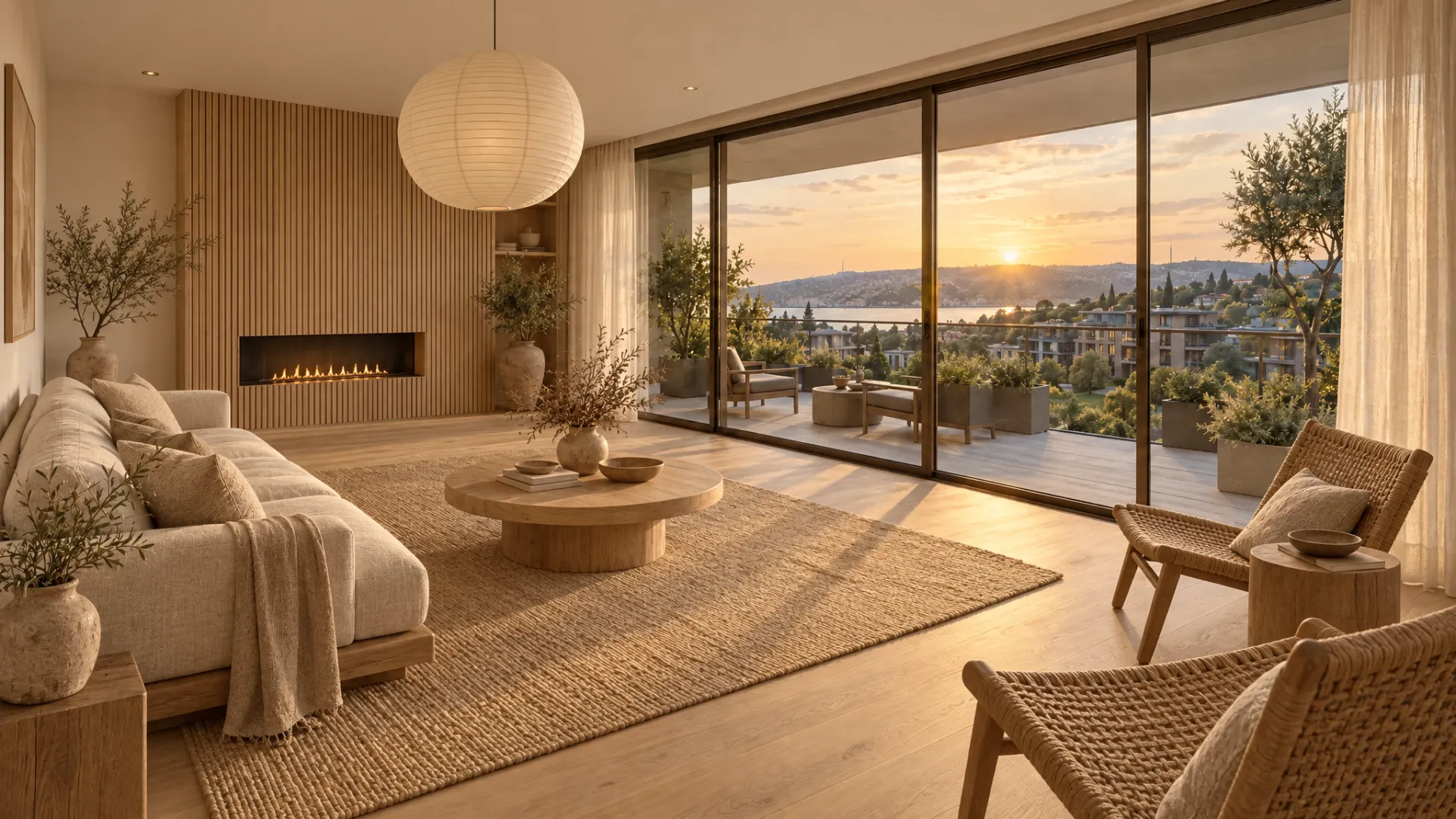
In a discovery call we show the live demo and plan your style library and setup together.